Ir para conteúdo
View in the app

A better way to browse. Learn more.

MuAwaY Forum

A full-screen app on your home screen with push notifications, badges and more.

To install this app on iOS and iPadOS
  1. Tap the Share icon in Safari
  2. Scroll the menu and tap Add to Home Screen.
  3. Tap Add in the top-right corner.
To install this app on Android
  1. Tap the 3-dot menu (⋮) in the top-right corner of the browser.
  2. Tap Add to Home screen or Install app.
  3. Confirm by tapping Install.

(Resolvido)Problema para abrir o MuAwaY no iPhone

Postado

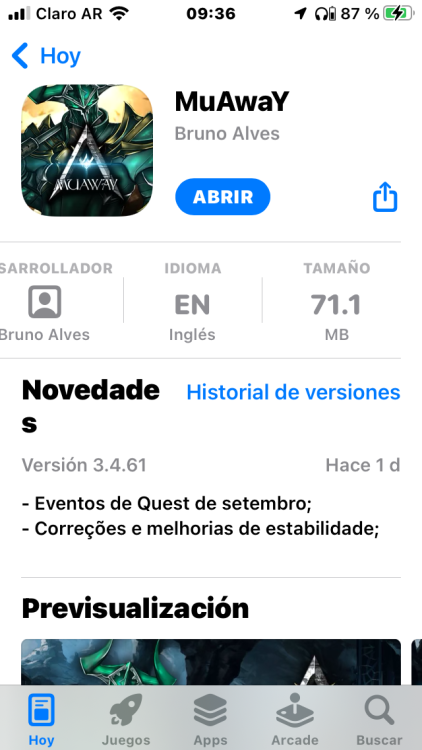
Hola buen día hace días venía jugando lo más bien y desde ayer abro el mu en mi teléfono y se abre una ventana negra por 1 segundo y se cierra, probé desinstalándolo y instalándolo de nuevo y nada. Mi celular es un iPhone 6

DBE816BF-B458-40A9-9EA0-F0FCB78DC9DC.png

  • Respostas 3
  • Visualizações 38
  • Criado
  • Última resposta

Mais Ativos no Tópico

Dias Populares

Posted Images

Posts Recomendados

Postado

Hola, buenos días!

El problema se debe a que el iPhone 6 se quedó en iOS 12 y las últimas actualizaciones del juego requieren una versión de iOS más reciente. Por eso la aplicación se cierra sola al intentar abrir.

La única solución definitiva es jugar desde una PC o usar un celular más moderno que admita las versiones actuales del juego.

  • Snow changed the title to (Resolvido)Problema para abrir o MuAwaY no iPhone
Visitante
Este tópico está impedido de receber novos posts.

Account

Navigation

Pesquisar

Pesquisar

Configure browser push notifications

Chrome (Android)
  1. Tap the lock icon next to the address bar.
  2. Tap Permissions → Notifications.
  3. Adjust your preference.
Chrome (Desktop)
  1. Click the padlock icon in the address bar.
  2. Select Site settings.
  3. Find Notifications and adjust your preference.