Ir para conteúdo
View in the app

A better way to browse. Learn more.

MuAwaY Forum

A full-screen app on your home screen with push notifications, badges and more.

To install this app on iOS and iPadOS
  1. Tap the Share icon in Safari
  2. Scroll the menu and tap Add to Home Screen.
  3. Tap Add in the top-right corner.
To install this app on Android
  1. Tap the 3-dot menu (⋮) in the top-right corner of the browser.
  2. Tap Add to Home screen or Install app.
  3. Confirm by tapping Install.

(Presente Entregue)[Presente] Pros parceiros.

Postado

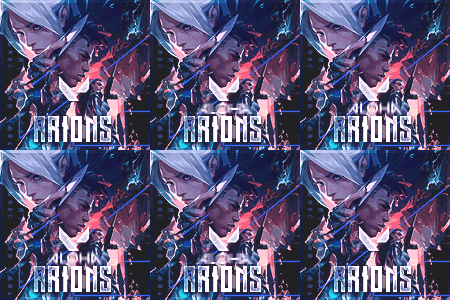
Galera, é simples mas é de coração ! Um salve pra vocês _TwoFace_ , yJulio , picinin , Cowboy1 , Arions , OZZY_XD


Imagem Imagem Imagem Imagem Imagem Imagem

Quote

Two
https://imgur.com/vFj63yi.gif
Julio
https://imgur.com/ztiak4j.gif
picinin
https://imgur.com/lB9ofjI.gif
Cowboy
https://imgur.com/kDth1Eb.gif
Arions
https://imgur.com/1yky8HO.gif
Ozzy
https://imgur.com/sq8DRYh.gif


É nois ! :thumbup3:

ImagemImagemImagem
  • Respostas 8
  • Visualizações 1,4k
  • Criado
  • Última resposta

Mais Ativos no Tópico

Dias Populares

Postagens Populares

  • Cara do Murilo a fp KKKKKKKKKKKKKKKKKKKKKKKKKKKK

  • Presente Entregue. Tópico fechado. Caso precise reabrir o tópico, me envie uma MP solicitando.

Posts Recomendados

Postado
AKKKKKKKKKKKKKKKKKKK ' Lendário demais, Vlw Irmão :love:
ImagemImagemImagem
Quando todos te abandonarem, os verdadeiros ficarão para te fazer sorrir.

- Will Smith
Postado
que dlç cara
To De VollTa Pra Quem Me cConhece Atual e sempre sera meu nik > _OZZY_XD
Postado
Eu fico sem palavras para descrever, muito top!
Imagem
Imagem
Imagem

Atenciosamente Arions_
Postado
Cara do Murilo a fp KKKKKKKKKKKKKKKKKKKKKKKKKKKK
Atenciosamente, Nrs.
MuAwaY - Projetando e Construindo sua Diversão!
Visitante
Este tópico está impedido de receber novos posts.

Account

Navigation

Pesquisar

Pesquisar

Configure browser push notifications

Chrome (Android)
  1. Tap the lock icon next to the address bar.
  2. Tap Permissions → Notifications.
  3. Adjust your preference.
Chrome (Desktop)
  1. Click the padlock icon in the address bar.
  2. Select Site settings.
  3. Find Notifications and adjust your preference.