Ir para conteúdo
View in the app

A better way to browse. Learn more.

MuAwaY Forum

A full-screen app on your home screen with push notifications, badges and more.

To install this app on iOS and iPadOS
  1. Tap the Share icon in Safari
  2. Scroll the menu and tap Add to Home Screen.
  3. Tap Add in the top-right corner.
To install this app on Android
  1. Tap the 3-dot menu (⋮) in the top-right corner of the browser.
  2. Tap Add to Home screen or Install app.
  3. Confirm by tapping Install.

(Respondido)Referring to Virtual Machine

Postado
Hi admin,

I cann't connect to sever VIP and TRADE with my laptop.

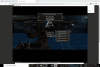
When I log in on the VIP server and TRADE, it says "You can not connect to this server using a virtual machine"

I still log in normally at the SPOT server.

Plz help me!

Thanks!

My laptop is Surface 4.

Untitled-min (1).png

Editado por Phuc

  • Respostas 4
  • Visualizações 1,1k
  • Criado
  • Última resposta

Mais Ativos no Tópico

Dias Populares

Posted Images

Posts Recomendados

Postado

Hello, you are not receiving because you are on a virtual machine. Virtual machines have been blocked because people use it more to practice things that harm the community like SPAMs, and there is no way to filter who will use a virtual machine for beneficial purposes, such as those who use it to break a rule or harm someone.


Imagem
Imagem
Imagem
Postado
Very good morning, friend!

Our administrator has blocked the use of virtual machines due to other players using them for misuse and harming other players.
You can use the PC or Mobile version for Android or IOS systems
Graciosamente, Butterzin
MuAwaY - Projetando e construindo sua diversão!


Imagem
Imagem
Postado
Dúvida respondida

Caso precise reabrir o tópico, me envie uma MP solicitando.
Graciosamente, Butterzin
MuAwaY - Projetando e construindo sua diversão!


Imagem
Imagem
Visitante
Este tópico está impedido de receber novos posts.

Account

Navigation

Pesquisar

Pesquisar

Configure browser push notifications

Chrome (Android)
  1. Tap the lock icon next to the address bar.
  2. Tap Permissions → Notifications.
  3. Adjust your preference.
Chrome (Desktop)
  1. Click the padlock icon in the address bar.
  2. Select Site settings.
  3. Find Notifications and adjust your preference.