



Ir para conteúdo
View in the app

A better way to browse. Learn more.

MuAwaY Forum

A full-screen app on your home screen with push notifications, badges and more.

To install this app on iOS and iPadOS
  1. Tap the Share icon in Safari
  2. Scroll the menu and tap Add to Home Screen.
  3. Tap Add in the top-right corner.
To install this app on Android
  1. Tap the 3-dot menu (⋮) in the top-right corner of the browser.
  2. Tap Add to Home screen or Install app.
  3. Confirm by tapping Install.

(Resolvido) Referente a problemas ao se conectar no jogo

  • Respostas 6
  • Visualizações 389
  • Criado
  • Última resposta

Mais Ativos no Tópico

Dias Populares

Postagens Populares

  • Okay, now that we have more information, we can help you. Usually this error is shown when a computer is geoblocked and banned from our server. First of all, go to the MuAwaY website (muaway.net

Posted Images
Posts Recomendados

Postado
  • Autor

Ver postGour_CL, em 24 July 2019 - 04:18 PM, disse:

Aguardando resposta.

Aguardando a resposta do autor do tópico.

Sem floods os demais membros.


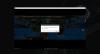
Help me pls. Thanks.

error.jpg

Postado
Okay, now that we have more information, we can help you.

Usually this error is shown when a computer is geoblocked and banned from our server.

First of all, go to the MuAwaY website (muaway.net/home), then log into all your accounts go to the User panel and click on My account, if one of your accounts has the account status set as: "Banido", you have been banned from the server and can no longer use your current computer to log in.

If you performed the above procedure and none of your accounts were banned, and you believe that the ban was applied incorrectly, send an email to suporte@muaway.net to find out the reason and appeal your ban.
 
Visitante
Este tópico está impedido de receber novos posts.

Account

Navigation

Pesquisar

Pesquisar

Configure browser push notifications

Chrome (Android)
  1. Tap the lock icon next to the address bar.
  2. Tap Permissions → Notifications.
  3. Adjust your preference.
Chrome (Desktop)
  1. Click the padlock icon in the address bar.
  2. Select Site settings.
  3. Find Notifications and adjust your preference.