Ir para conteúdo
View in the app

A better way to browse. Learn more.

MuAwaY Forum

A full-screen app on your home screen with push notifications, badges and more.

To install this app on iOS and iPadOS
  1. Tap the Share icon in Safari
  2. Scroll the menu and tap Add to Home Screen.
  3. Tap Add in the top-right corner.
To install this app on Android
  1. Tap the 3-dot menu (⋮) in the top-right corner of the browser.
  2. Tap Add to Home screen or Install app.
  3. Confirm by tapping Install.

(Evento Finalizado)[Leilão] Kami-

Postado
Autorização : https://i.imgur.com/7NJNis0.png


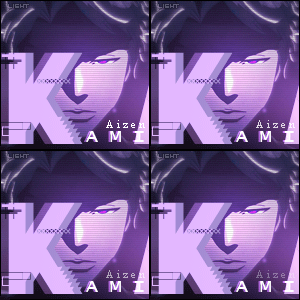
:estrelinhas: Kit á ser leiloado :estrelinhas:


Imagem


[Imagem


Obs : Irei fazer a FP após o encerramento do leilão.


Sem Lance Mínimo -

center%5D


  • Respostas 11
  • Visualizações 1k
  • Criado
  • Última resposta

Mais Ativos no Tópico

Postagens Populares

  • Ghazal, em 11 November 2018 - 08:50 PM, disse: Coloca umas styles nessa borda aeee meu chapaaaaa hahaha pode ter ctz, que seu trabalho vai ficar mais valorizado. Oii ghazal que honra você fazer uma c

Posts Recomendados

Postado
Coloca umas styles nessa borda aeee meu chapaaaaa hahaha pode ter ctz, que seu trabalho vai ficar mais valorizado.

Editado por Ghazal


Imagem
ImagemImagem
Postado
  • Autor

Ver postGhazal, em 11 November 2018 - 08:50 PM, disse:

Coloca umas styles nessa borda aeee meu chapaaaaa hahaha pode ter ctz, que seu trabalho vai ficar mais valorizado.

Oii ghazal que honra você fazer uma critica no meu kit de verdade. Eu deixei sem style para deixar algo leve foi proposital, vou ver como fica toda estilizada. obrigado

center%5D


Postado
  • Autor
Ultimo up- Encerrarei o leilão as 19Horas.

center%5D


Postado
  • Autor
Leilão finalizado Gereba Wins

center%5D


Visitante
Este tópico está impedido de receber novos posts.

Account

Navigation

Pesquisar

Pesquisar

Configure browser push notifications

Chrome (Android)
  1. Tap the lock icon next to the address bar.
  2. Tap Permissions → Notifications.
  3. Adjust your preference.
Chrome (Desktop)
  1. Click the padlock icon in the address bar.
  2. Select Site settings.
  3. Find Notifications and adjust your preference.