Ir para conteúdo
View in the app

A better way to browse. Learn more.

MuAwaY Forum

A full-screen app on your home screen with push notifications, badges and more.

To install this app on iOS and iPadOS
  1. Tap the Share icon in Safari
  2. Scroll the menu and tap Add to Home Screen.
  3. Tap Add in the top-right corner.
To install this app on Android
  1. Tap the 3-dot menu (⋮) in the top-right corner of the browser.
  2. Tap Add to Home screen or Install app.
  3. Confirm by tapping Install.

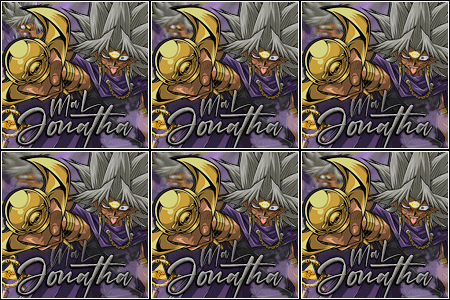
(Presente Entregue)[Presente] → Bir_CL

Postado
Primo do ThLuck_BR, mais conhecido como Bir_CL, Paraiba_CL ou Taturana_CL
#Avatar/Tetas lembrou do ApÓ_CL

OBS: Não abra o Spoiler .
Spoiler

Editado por Bear_CL

ImagemImagemImagem
  • Respostas 17
  • Visualizações 733
  • Criado
  • Última resposta

Mais Ativos no Tópico

Dias Populares

Postagens Populares

Posts Recomendados

Postado
TEM UM RATO NA SOBRANCELHA MLQ
Atenciosamente,
Jonatha_xP - MuAwaY! projetando e construindo a sua diversão.


Imagem

"O ego vai te levar longe
E vai te deixar lá, sozinho."
Postado
kkkkkkkkkkkkkkk
ImagemImagem

Atenciosamente,
Avatar-PvP - MuAwaY Projetando e construindo a sua diversão!

Postado
LOL SOBRANCELHA FEITINHA LEK
Postado
Nossa ki inveja a lingua dele é blue ;s
Postado
kkk
Imagem
Imagem

Atenciosamente : DaNNet-BR
Muaway construindo & Fazendo Sua Diversão

Postado
kkkkk belo presente
Cortesmente - -Vicking-
Suporte MuAwaY - Projetando e construindo a sua diversão!


Postado
MEU AMIGO ESSA FOTO ME DA MEDO ;C

Editado por Salsi_

Postado
KKKKKKKKKKK. Eu rir muito.

Mito, stong mito,mito mito. Vlw, depois te pago uma APÓ. te amo ♥
Imagem
Imagem
Imagem
Postado
Presente Entregue.

Tópico fechado.
Caso necessite de abertura contate algum membro da equipe de Designer.
Visitante
Este tópico está impedido de receber novos posts.

Account

Navigation

Pesquisar

Pesquisar

Configure browser push notifications

Chrome (Android)
  1. Tap the lock icon next to the address bar.
  2. Tap Permissions → Notifications.
  3. Adjust your preference.
Chrome (Desktop)
  1. Click the padlock icon in the address bar.
  2. Select Site settings.
  3. Find Notifications and adjust your preference.