Ir para conteúdo
View in the app

A better way to browse. Learn more.

MuAwaY Forum

A full-screen app on your home screen with push notifications, badges and more.

To install this app on iOS and iPadOS
  1. Tap the Share icon in Safari
  2. Scroll the menu and tap Add to Home Screen.
  3. Tap Add in the top-right corner.
To install this app on Android
  1. Tap the 3-dot menu (⋮) in the top-right corner of the browser.
  2. Tap Add to Home screen or Install app.
  3. Confirm by tapping Install.

(Presente Entregue)[PRESENTE] Andree

Postado
Olá pessoal,


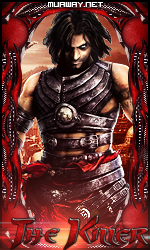
Estou criando este tópico para entregar um KIT que eu fiz de presente para o parça Andree, um amigo de todas as horas, presente em qualquer momento e, firme!

Estou doando o meu Obrigado ao membro Freeze_- , pois, ele me ajudou muita na minha trajetória. Saiba Freeze: Seu recalque bate no meu kit e volta como reflete! Antes de falar dos outros pense em si mesmo, se não é capaz, não tente.


Vamos lá,

Fp:

Spoiler


Avatar:

Spoiler


Sign:

Spoiler


Cortada em 3 partes:
Spoiler

Obrigado à todos que visualizaram o Tópico e, uma Boa Noite!

Editado por -HanCocK-_

  • Respostas 7
  • Visualizações 455
  • Criado
  • Última resposta

Mais Ativos no Tópico

Postagens Populares

Posts Recomendados

Postado
Ownnnnt *------------*

Obrigado Abigúú ♥ Ameeei...

Vou Até usar rsrs Brigadão mesmo
Atenciosamente, Andree LoveWar™️
Vivendo o presente e construindo o futuro!


Imagem
Postado
Presente Entregue.

Tópico fechado.
Caso necessite de abertura contate algum membro da equipe de Designer.
Visitante
Este tópico está impedido de receber novos posts.

Account

Navigation

Pesquisar

Pesquisar

Configure browser push notifications

Chrome (Android)
  1. Tap the lock icon next to the address bar.
  2. Tap Permissions → Notifications.
  3. Adjust your preference.
Chrome (Desktop)
  1. Click the padlock icon in the address bar.
  2. Select Site settings.
  3. Find Notifications and adjust your preference.