Ir para conteúdo
View in the app

A better way to browse. Learn more.

MuAwaY Forum

A full-screen app on your home screen with push notifications, badges and more.

To install this app on iOS and iPadOS
  1. Tap the Share icon in Safari
  2. Scroll the menu and tap Add to Home Screen.
  3. Tap Add in the top-right corner.
To install this app on Android
  1. Tap the 3-dot menu (⋮) in the top-right corner of the browser.
  2. Tap Add to Home screen or Install app.
  3. Confirm by tapping Install.

(Presente Entregue)[Presente] ExConeCrew

Postado
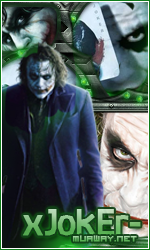
Sei que não manjo muito no PS, Tentei Varias Vezes Até Que Saiu Isso ! Sei Que Está Meia Estranha, Mais Prometo Melhorar Mais ! ;) Aaaa ééé Quase Esqueci ! Pede Alguém Pra Corta Ajé ? Depois Faço um Avatar , Pois agora estou Muito Ocupado xD


Sing :


Imagem
Att: T-Dogg.
MuAway, Projetando&Construindo sua diversão!


Imagem
Imagem
  • Respostas 7
  • Visualizações 779
  • Criado
  • Última resposta

Mais Ativos no Tópico

Dias Populares

Postagens Populares

Posts Recomendados

Postado
Cara, se tu é iniciante nisso daí, tá de parabéns hehe, belo presente :)
Postado
Bom amigo o presente foi bom espero que o mesmo goste e use .

Mais se e pra ficar pedindo para os Designers do fórum cortar eu acho que você poderia aprender , não requer muito esforço veja o tutorial abaixo e aprenda .


Tutorial cortando sign em 2 partes .
Spoiler


Tutorial cortando a sign em 3 partes .
Spoiler


Bom se você vai se dedicar ao ramo de Designer deve aprender isso :D
Continue melhorando e tera um bom futuro pela frente .
Valeu Sky <3


Imagem
Imagem
Imagem
Postado
Muito Lindo Cara. Amigo tu Tem muito talento.
Imagem
Imagem
Imagem


Atenciosamente - OperaForum
MuAwaY - Projetando & Construindo Sua Diversão !
Postado
Obrigado , cachorroooooooo s2 , já estou usando :P
Yuuki s2

Imagem
Imagem


Atenciosamente - ConeCrew
MuAwaY - Projetando e construindo sua diversão!
Postado
Presente Entregue.

Tópico fechado.
Caso necessite de abertura contate algum membro da equipe de Designer.
Atenciosamente, KenBlock
MuAwaY — Projetando & Construindo Sua Diversão!


Galeria de Exposição
Visitante
Este tópico está impedido de receber novos posts.

Account

Navigation

Pesquisar

Pesquisar

Configure browser push notifications

Chrome (Android)
  1. Tap the lock icon next to the address bar.
  2. Tap Permissions → Notifications.
  3. Adjust your preference.
Chrome (Desktop)
  1. Click the padlock icon in the address bar.
  2. Select Site settings.
  3. Find Notifications and adjust your preference.