Ir para conteúdo
View in the app

A better way to browse. Learn more.

MuAwaY Forum

A full-screen app on your home screen with push notifications, badges and more.

To install this app on iOS and iPadOS
  1. Tap the Share icon in Safari
  2. Scroll the menu and tap Add to Home Screen.
  3. Tap Add in the top-right corner.
To install this app on Android
  1. Tap the 3-dot menu (⋮) in the top-right corner of the browser.
  2. Tap Add to Home screen or Install app.
  3. Confirm by tapping Install.

(Respondido)[Pedido]Temas roxos.

Postado
Bom, estou criando uma signature e estou com duvida no tema, não conheço muito temas e muito menos roxos, alguem poderia me aconselhar alguns?
*valendo+


*obs: não quero lista de temas, e sim temas roxos!


  • Respostas 6
  • Visualizações 811
  • Criado
  • Última resposta

Mais Ativos no Tópico

Dias Populares

Postagens Populares

  • Spyro Spoiler saint seiya cancer Spoiler Tekken Tag Tournament 2 Nina Williams Spoiler Aisha Spoiler WoW Elfe de la Nuit Guerriere Spoiler

Posts Recomendados

Postado
Temas Roxos..

Tobi Rinegan
Spoiler


PAra mais resultado Clique aqui


Yu-Gi Oh

Spoiler


PAra mais Resutlado Clique aqui

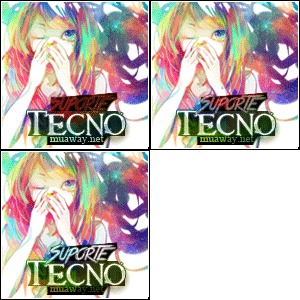
Atenciosamente : Tecno
KIT A VENDA
Imagem
Imagem
Imagem
Postado
Como solicitado temas com o tema roxo
Lelouch - Code Geas
Spoiler


Sieghart
Spoiler


Arme
Spoiler


Magic gladiator
Spoiler


Summoner
Spoiler

Imagem
Imagem
Imagem
Postado
Spyro
Spoiler


saint seiya cancer
Spoiler


Tekken Tag Tournament 2 Nina Williams
Spoiler


Aisha
Spoiler


WoW Elfe de la Nuit Guerriere
Spoiler


Hawkeye
Spoiler


Flyff é um tema que tem varias
http://www.renders-graphiques.fr/galerie/Flyff-84.htm
ImagemImagemImagem
Postado
Dúvida respondida

Caso precise reabrir o tópico, me envie uma MP solicitando.
Atenciosamente, KenBlock
MuAwaY — Projetando & Construindo Sua Diversão!


Galeria de Exposição
Visitante
Este tópico está impedido de receber novos posts.

Account

Navigation

Pesquisar

Pesquisar

Configure browser push notifications

Chrome (Android)
  1. Tap the lock icon next to the address bar.
  2. Tap Permissions → Notifications.
  3. Adjust your preference.
Chrome (Desktop)
  1. Click the padlock icon in the address bar.
  2. Select Site settings.
  3. Find Notifications and adjust your preference.