Ir para conteúdo
View in the app

A better way to browse. Learn more.

MuAwaY Forum

A full-screen app on your home screen with push notifications, badges and more.

To install this app on iOS and iPadOS
  1. Tap the Share icon in Safari
  2. Scroll the menu and tap Add to Home Screen.
  3. Tap Add in the top-right corner.
To install this app on Android
  1. Tap the 3-dot menu (⋮) in the top-right corner of the browser.
  2. Tap Add to Home screen or Install app.
  3. Confirm by tapping Install.

(Presente Entregue)[Presente] Feliz dia mundial do Rock !

Postado
Olá á todos,

:band: :band: :band:
Imagem
Fiz simples mesmo '---' num queria inventar mt :]]


Ghost
Imagem

Tokera
Imagem

-KenBlock
Imagem

Versus-BR
Imagem

TheGuy
Imagem

Walker
Imagem

5cinco
Imagem

Fox
Imagem

Renan
Imagem

Synyster
Imagem

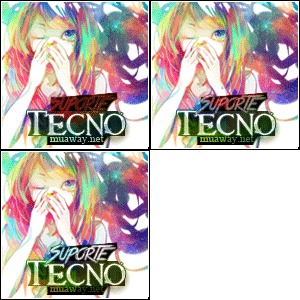
Tecno
Imagem

Energy
Imagem

Fan de rock ?'--' mande mp e ganhe uma fp dessa :]]


Imagem
Imagem

bj du astru :cheekkiss:

:band:
:band:


Atenciosamente - Astros Designer
'- '
Imagem
Imagem
Imagem


NEVER FORGET I AM ALWAYS FIRST! "Once a Legend, Always a Legend" wait for me...
  • Respostas 10
  • Visualizações 665
  • Criado
  • Última resposta

Mais Ativos no Tópico

Posts Recomendados

Postado
Vlw' Curti demais vou ate ja usar, brigado >.<
ImagemImagemImagem
Postado
Obrigado Lek.. Viva Raul SEixas. kkkk. .Viva O ROck..

# Lendario Jimmy Hendrix .! < Isto E Lenda. Obs : Reputado ..
Atenciosamente : Tecno
KIT A VENDA
Imagem
Imagem
Imagem
Postado
Hey ho, let's go!
Ja estou usando a foto pessoal Yago, obrigado! c:
Imagem
Imagem
Imagem
Postado
-
Caralh# moleque ai sim ROCK NA VEIA mano.
e Feliz Dia Internacional do Rock á todos. :animado231_:
Atenciosamente, KenBlock
MuAwaY — Projetando & Construindo Sua Diversão!


Galeria de Exposição
Postado
Presente Entregue.

Tópico fechado.
Caso necessite de abertura contate algum membro da equipe de Designer.
Imagem
Visitante
Este tópico está impedido de receber novos posts.

Account

Navigation

Pesquisar

Pesquisar

Configure browser push notifications

Chrome (Android)
  1. Tap the lock icon next to the address bar.
  2. Tap Permissions → Notifications.
  3. Adjust your preference.
Chrome (Desktop)
  1. Click the padlock icon in the address bar.
  2. Select Site settings.
  3. Find Notifications and adjust your preference.