Ir para conteúdo
View in the app

A better way to browse. Learn more.

MuAwaY Forum

A full-screen app on your home screen with push notifications, badges and more.

To install this app on iOS and iPadOS
  1. Tap the Share icon in Safari
  2. Scroll the menu and tap Add to Home Screen.
  3. Tap Add in the top-right corner.
To install this app on Android
  1. Tap the 3-dot menu (⋮) in the top-right corner of the browser.
  2. Tap Add to Home screen or Install app.
  3. Confirm by tapping Install.

(Presente Entregue)[Presente] - Marlinda

Postado
Ola povo boa noite

Bom como promessa é divida e apostei contigo ne
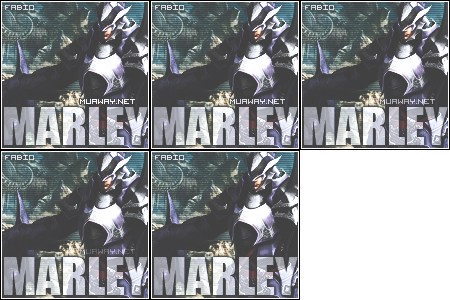
ta ae o kit demorei pra editar mas ta na mão


Saw II

Imagem
Imagem


[IMG]http://upamais.com/images/45597503311523663978.png[/IMG**]
[IMG]http://upamais.com/images/19862814391088181260.png[/IMG**]

Espero que use por tempo indeterminado , pois vai demorar pra te dar outro ok putona :D
Imagem
Imagem
  • Respostas 4
  • Visualizações 355
  • Criado
  • Última resposta

Mais Ativos no Tópico

Posts Recomendados

Postado

Ver post-Dran, em 07 July 2013 - 08:33 PM, disse:

Ola povo boa noite

Bom como promessa é divida e apostei contigo ne
ta ae o kit demorei pra editar mas ta na mão


Saw II

Imagem
Imagem


[IMG]http://upamais.com/images/45597503311523663978.png[/IMG**]
[IMG]http://upamais.com/images/19862814391088181260.png[/IMG**]

Espero que use por tempo indeterminado , pois vai demorar pra te dar outro ok putona :D


Agora faz um para min do goku *-*
Imagem
Atenciosamente - Tarkan_xP
MuAwaY - Projetando & Construindo a nossa diversão.
[Tutorial] - Dicas de segurança do jogo;Clique aqui

Imagem
Postado
Vo nem zua essa sua doença voce num falou que ia mida do toy histori? vlw dran se kiser aposta dnv tamo ainda :D tavo viajando porai.

Imagem
Imagem


Postado
Presente Entregue.

Tópico fechado.
Caso necessite de abertura contate algum membro da equipe de Designer.
Visitante
Este tópico está impedido de receber novos posts.

Account

Navigation

Pesquisar

Pesquisar

Configure browser push notifications

Chrome (Android)
  1. Tap the lock icon next to the address bar.
  2. Tap Permissions → Notifications.
  3. Adjust your preference.
Chrome (Desktop)
  1. Click the padlock icon in the address bar.
  2. Select Site settings.
  3. Find Notifications and adjust your preference.