Ir para conteúdo
View in the app

A better way to browse. Learn more.

MuAwaY Forum

A full-screen app on your home screen with push notifications, badges and more.

To install this app on iOS and iPadOS
  1. Tap the Share icon in Safari
  2. Scroll the menu and tap Add to Home Screen.
  3. Tap Add in the top-right corner.
To install this app on Android
  1. Tap the 3-dot menu (⋮) in the top-right corner of the browser.
  2. Tap Add to Home screen or Install app.
  3. Confirm by tapping Install.

(Presente Entregue)[Presente] - Sandra

Postado
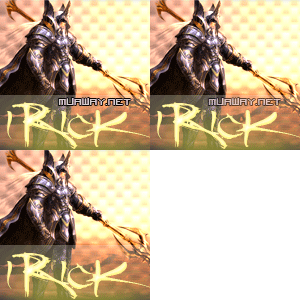
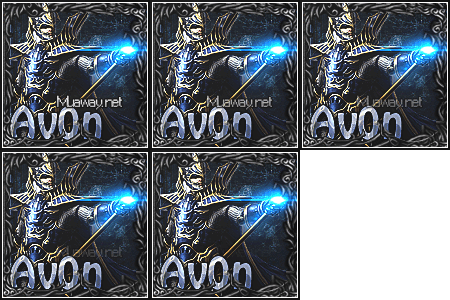
Oieeeeeeeeeeeeeeeeeeeee Sandrinha,entao como havia lhe dito tas aqui seu presente hehe
ficou meio sem harmonia e feio pakas pqp e ate agr num entendi o porque coloquei as shapes marrom o.O

Ah eh so sign xP a tipografia vou ver se lhe consigo alguma hehe pois ttou sem cine4D
Bora ver essa bagaça feia
Imagem
Imagem
Imagem

3 partes e link nas imagens
Bom sei que nao vai curti mas eh de coraçao =]
Xau Sandrinha
:cheekkiss: do BlackVoador/EscargoVoador
e abraços por tras nos escargos kkkkkklkkkk
#partiuvoo
#fuiz
#ficoupaia
Proximos:Byel,Leandrúúú,Marilinda,Angola e muito mais
By:ExcelenteMITO *---*
Imagem
BY: meu brother MITO THALESCENAROCK
Imagem
  • Respostas 10
  • Visualizações 545
  • Criado
  • Última resposta

Mais Ativos no Tópico

Postagens Populares

Posts Recomendados

Postado
Belo presente!
Boa design

Imagem
Imagem
Imagem


Foco, Força e Fé
Te ajudei? Aperta (+) não dói nada! :D


Atenciosamente - iRick
Equipe MuAwaY - Projetando e Construindo sua Diversão.
Postado
Ai Fico MAssa O Presente Manw Achu que ela vai Adorah ,,
Eu
Postado
Belo presente !
Imagem
Imagem

Atenciosamente, DJNT
MuAwaY → projetando e construindo sua diversão!
Postado
Lindo Muito Bom seu trabalho parabéns.
Postado
Presente Entregue.

Tópico fechado.
Caso necessite de abertura contate algum membro da equipe de Designer.
Visitante
Este tópico está impedido de receber novos posts.

Account

Navigation

Pesquisar

Pesquisar

Configure browser push notifications

Chrome (Android)
  1. Tap the lock icon next to the address bar.
  2. Tap Permissions → Notifications.
  3. Adjust your preference.
Chrome (Desktop)
  1. Click the padlock icon in the address bar.
  2. Select Site settings.
  3. Find Notifications and adjust your preference.