Ir para conteúdo
View in the app

A better way to browse. Learn more.

MuAwaY Forum

A full-screen app on your home screen with push notifications, badges and more.

To install this app on iOS and iPadOS
  1. Tap the Share icon in Safari
  2. Scroll the menu and tap Add to Home Screen.
  3. Tap Add in the top-right corner.
To install this app on Android
  1. Tap the 3-dot menu (⋮) in the top-right corner of the browser.
  2. Tap Add to Home screen or Install app.
  3. Confirm by tapping Install.

(Presente Entregue)[Presente] - Fox sz

Postado
Eai meu brother, tomaê seu kit que tu disse
que o Sophs permitiu eu editar pra tuu ♥
o kit é bem veio, feio etc, mas como você é meu pidão favoritiis taê pra tu ♥
ii desculpa pela demora, como você sabe, semana passada tava difícil pra
ficar aqui no fórum, muitos trabalhos de escola, projetos etc, decidi fazer tudo na semana passada pra ganhar notas boas! '-'
Chega de delongas, confira abaixo.

FP
Imagem
[IMG]http://i.imgur.com/0o6UYy4.jpg[/IMG]


Avatar
Imagem
[IMG]http://i.imgur.com/XLCrggn.png[/IMG]


Signature
Imagem
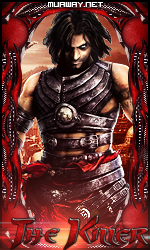
[IMG]http://i.imgur.com/64atcYF.png[/IMG]
Gift Dynamit
Imagem
Imagem


GALERIAS
Presentes   |   Exposição

  • Respostas 5
  • Visualizações 211
  • Criado
  • Última resposta

Mais Ativos no Tópico

Dias Populares

Postagens Populares

Posts Recomendados

Postado
rsrs Relaxa mano feio nada e lindão vou usar agora muito obrigado lobo te amo e nois ♥
Postado
Presente Entregue.

Tópico fechado.
Caso necessite de abertura contate algum membro da equipe de Designer.
Imagem
Visitante
Este tópico está impedido de receber novos posts.

Account

Navigation

Pesquisar

Pesquisar

Configure browser push notifications

Chrome (Android)
  1. Tap the lock icon next to the address bar.
  2. Tap Permissions → Notifications.
  3. Adjust your preference.
Chrome (Desktop)
  1. Click the padlock icon in the address bar.
  2. Select Site settings.
  3. Find Notifications and adjust your preference.