Ir para conteúdo
View in the app

A better way to browse. Learn more.

MuAwaY Forum

A full-screen app on your home screen with push notifications, badges and more.

To install this app on iOS and iPadOS
  1. Tap the Share icon in Safari
  2. Scroll the menu and tap Add to Home Screen.
  3. Tap Add in the top-right corner.
To install this app on Android
  1. Tap the 3-dot menu (⋮) in the top-right corner of the browser.
  2. Tap Add to Home screen or Install app.
  3. Confirm by tapping Install.

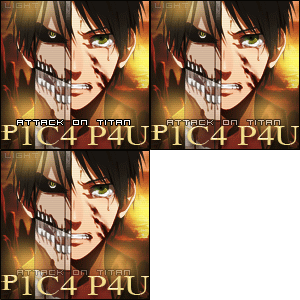
(Presente Entregue)Presente para P1C4, Strets,Pangos

Postado
Aew Galera as fp,Fis elas a pedido do XoraoStreets Int ficava feio da uma pra ele e pra mas ninguen int decidi da pra mais 2 leq é cansativo em como é chato fazer isso
decidi fazer igual a dos mlq pra vcs tbm.
espero que gostem.


Fp- _P1C4_P4L_ KSKSKS


Imagem


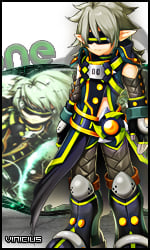
Fp- StreetsFights


Imagem


Pingos Pangos Pungos kkkkk zoa


Imagem
  • Respostas 5
  • Visualizações 155
  • Criado
  • Última resposta

Mais Ativos no Tópico

Posts Recomendados

Postado
kkkkkkk vlw parça obrigador mesmo agradeço de coração.
Postado
Gostei muito da FP,Só não gostei da brincadeira,rs,portanto irei lhe perdoar pela boa atitude feita de me dar uma fp bonita hehe,muito obrigado,fiquei muito maravilhado.

só tem um problema,ta dando que é muito grande hehehe
Atenciosamente,
MuAwaY,Projetando & construindo sua diversão!

Imagem
Imagem

Postado
  • Autor

Ver post_P1C4_P4U_, em 06 May 2013 - 03:20 PM, disse:

Gostei muito da FP,Só não gostei da brincadeira,rs,portanto irei lhe perdoar pela boa atitude feita de me dar uma fp bonita hehe,muito obrigado,fiquei muito maravilhado.

só tem um problema,ta dando que é muito grande hehehe


TEM ND GRANDE AI NAO FII A IMAGEM É 150 X 150 E É 53 KB SO TA DOIDO?
Postado
Presente Entregue.

Tópico fechado.
Caso necessite de abertura contate algum membro da equipe de Designer.
Visitante
Este tópico está impedido de receber novos posts.

Account

Navigation

Pesquisar

Pesquisar

Configure browser push notifications

Chrome (Android)
  1. Tap the lock icon next to the address bar.
  2. Tap Permissions → Notifications.
  3. Adjust your preference.
Chrome (Desktop)
  1. Click the padlock icon in the address bar.
  2. Select Site settings.
  3. Find Notifications and adjust your preference.