Ir para conteúdo
View in the app

A better way to browse. Learn more.

MuAwaY Forum

A full-screen app on your home screen with push notifications, badges and more.

To install this app on iOS and iPadOS
  1. Tap the Share icon in Safari
  2. Scroll the menu and tap Add to Home Screen.
  3. Tap Add in the top-right corner.
To install this app on Android
  1. Tap the 3-dot menu (⋮) in the top-right corner of the browser.
  2. Tap Add to Home screen or Install app.
  3. Confirm by tapping Install.

(Presente Entregue)[Presente] Astrinho Maldito *--*

Postado
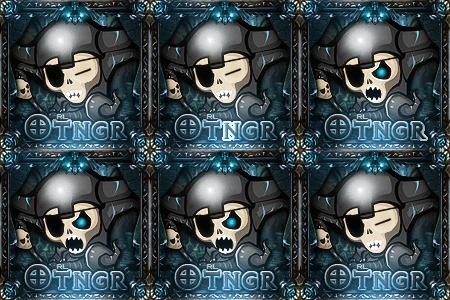
Ta ai a GFXzinha que eu te falei que tinha feito para você *--*, fico horrivel mais é de coração oks?

Avatar: ficoescrotodemais
Imagem

Sign:
Imagem
Deu um branco na hora de achar um lugar para colocar a tipografia ^^ coloquei ali mesmo da nada não.

*-----------------------------------*
Atenciosamente, -ILove-Mu-
MuAwaY! - Projetando e construindo a sua diversão!

Imagem
Imagem


Imagem
  • Respostas 6
  • Visualizações 383
  • Criado
  • Última resposta

Mais Ativos no Tópico

Posts Recomendados

Postado
Chama o Yago assim não Só eu posso chama ele assim -.-
Powered by Flare and KorN = Put0s

ImagemImagemImagem

Postado
Bonito Presente Vitor '-' .
Atenciosamente : -Fake-PvP


Imagem


Seiya <3
Postado
Olá à todos,
Obrigadu vitinho logo logo estarei usando!
Atenciosamente - Astros Designer
'- '
Imagem
Imagem
Imagem


NEVER FORGET I AM ALWAYS FIRST! "Once a Legend, Always a Legend" wait for me...
Visitante
Este tópico está impedido de receber novos posts.

Account

Navigation

Pesquisar

Pesquisar

Configure browser push notifications

Chrome (Android)
  1. Tap the lock icon next to the address bar.
  2. Tap Permissions → Notifications.
  3. Adjust your preference.
Chrome (Desktop)
  1. Click the padlock icon in the address bar.
  2. Select Site settings.
  3. Find Notifications and adjust your preference.