Ir para conteúdo
View in the app

A better way to browse. Learn more.

MuAwaY Forum

A full-screen app on your home screen with push notifications, badges and more.

To install this app on iOS and iPadOS
  1. Tap the Share icon in Safari
  2. Scroll the menu and tap Add to Home Screen.
  3. Tap Add in the top-right corner.
To install this app on Android
  1. Tap the 3-dot menu (⋮) in the top-right corner of the browser.
  2. Tap Add to Home screen or Install app.
  3. Confirm by tapping Install.

(Presente Entregue)[Presente]MarcosRox

Postado
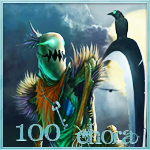
Ae mano malz ae pela demora, mas ta ae, bão foi uma das minha melhores sign mas depois faço um top pra vc :)

Sign
Imagem

Avatar
Imagem
Imagem

Imagem

É Meu Fã ? Me Odeia ? Quer Meu Corpo Nú ? Então Use e Abuse

Imagem


Atenciosamente Lucca Silva
MuAwaY - Projentando e Construindo a sua Diversão!
  • Respostas 6
  • Visualizações 265
  • Criado
  • Última resposta

Mais Ativos no Tópico

Posts Recomendados

Postado
Belo presente,espero que o mesmo goste.
Postado
ta bem pequena se nao asha ?? avatar 150x250 agora signer 200x400

Imagem
Imagem
Imagem

Postado
O seu trabalho é bom, só que está muito pequena, e ficaria muito mais legal do que ja está se fosse maior tipo 500x250 e avatar 150x250 B)


Imagem
Imagem
Projetando e construindo sua diversção!
Imagem
Imagem
Imagem

Ajudei? Clica aqui!
Visitante
Este tópico está impedido de receber novos posts.

Account

Navigation

Pesquisar

Pesquisar

Configure browser push notifications

Chrome (Android)
  1. Tap the lock icon next to the address bar.
  2. Tap Permissions → Notifications.
  3. Adjust your preference.
Chrome (Desktop)
  1. Click the padlock icon in the address bar.
  2. Select Site settings.
  3. Find Notifications and adjust your preference.