Ir para conteúdo
View in the app

A better way to browse. Learn more.

MuAwaY Forum

A full-screen app on your home screen with push notifications, badges and more.

To install this app on iOS and iPadOS
  1. Tap the Share icon in Safari
  2. Scroll the menu and tap Add to Home Screen.
  3. Tap Add in the top-right corner.
To install this app on Android
  1. Tap the 3-dot menu (⋮) in the top-right corner of the browser.
  2. Tap Add to Home screen or Install app.
  3. Confirm by tapping Install.

(Respondido)[Dúvida]Temas para sign.

Postado
Eai galera,me passem temas de sign da cor AZUL ESCURO E PRETO.
  • Respostas 5
  • Visualizações 647
  • Criado
  • Última resposta

Mais Ativos no Tópico

Dias Populares

Posts Recomendados

Postado
TEMAS AZUIS;

Lich King
Smurf
Black Rock Shooter
Ghost Recon
Captain América
Spider Man
Super Man
Sub Zero
Blue Man Group
Counter Terrorist (CounterStrike)
Drogba (Chelsea)
Vegeta
Percy Jackson
Sonic
Mario
Blue Girl
Raiden


e aqui alguns outros temas para ser usado em signatures :

Spoiler


Avril Lavine
Hinata (Naruto)
Pandora
Jade (Mortal Kombat)
Kitana (Mortal Kombat)
Tomb Rayder
BAYONETTA
CLAIRE REDFIELD
ADA WONG
Lin Xiaoyu (Tekken)
JILL VALENTINE (RESIDENT EVIL, RESIDENT EVIL 3, RESIDENT EVIL 5)
Cybil (Silent Hill)
Kula Diamon (KOF)
Sakura (Street Fighter)
Heather (Silent Hill 3)
Dio (Grand Chase)
Rain (Mortal Kombat)
Jun do anime happinnes
Yurippe do anime Angel Beats
as gemeas de Clannad - Fujibayashi Kyou - Fujibayashi Ryou
As gemeas de Lucky Star -Hiiragi Kagami -Hiiragi Tsukasa[
Fujiwara Zakuro - Tokyo Mew Mew
Patchouli Knowledge de Touhou
Hikaru e Kaoru Hitachiin

Imagem
Imagem


Acendo um cigarro e vejo o dia passar,
mato o tempo pra ele não me matar.
Postado
Sub zero
A no Exorcista
Ghost reacon
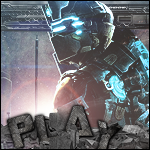
Dead Space
Capitão america
Black shoter
Imagem
Imagem
Imagem
Visitante
Este tópico está impedido de receber novos posts.

Account

Navigation

Pesquisar

Pesquisar

Configure browser push notifications

Chrome (Android)
  1. Tap the lock icon next to the address bar.
  2. Tap Permissions → Notifications.
  3. Adjust your preference.
Chrome (Desktop)
  1. Click the padlock icon in the address bar.
  2. Select Site settings.
  3. Find Notifications and adjust your preference.