Ir para conteúdo
View in the app

A better way to browse. Learn more.

MuAwaY Forum

A full-screen app on your home screen with push notifications, badges and more.

To install this app on iOS and iPadOS
  1. Tap the Share icon in Safari
  2. Scroll the menu and tap Add to Home Screen.
  3. Tap Add in the top-right corner.
To install this app on Android
  1. Tap the 3-dot menu (⋮) in the top-right corner of the browser.
  2. Tap Add to Home screen or Install app.
  3. Confirm by tapping Install.

[Galeria de Exposição] - Atived_

Postado
-
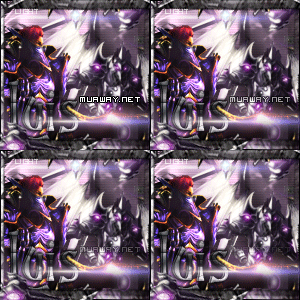
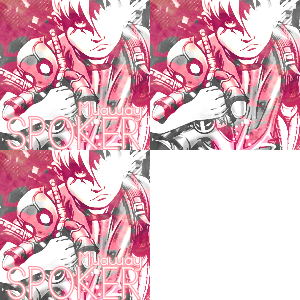
Bom , vou mostrar alguns trabalhos ganho / comprados , pois terei que formatar o pc e não quero perder os kit *-* .

Sing's

Spoiler

Avatares

Spoiler

Spoiler

Bom é isso galera , assim que eu for adiquirindo mais KIT'S irei postando aqui para não ter risco de perder u.u'
Autorização Logo abaixo .

Spoiler
  • Respostas 6
  • Visualizações 477
  • Criado
  • Última resposta

Mais Ativos no Tópico

Postagens Populares

Posts Recomendados

Postado
Bela galeria.
Atenciosamente - Luis_
MuAway
- Projetando e Construindo sua Diversão!


Imagem
Imagem
Postado
Gostaria de ver alguns dos seus trabalho :)


Imagem
Imagem
Imagem


Atenciosamente - Moth
Postado
Bela Galeria, parabens !!!
Imagem


Spoiler


Imagem


Clique no +
Postado
Gostaria de ver alguns dos seus trabalho.
Eu (:
Imagem


MuAwaY Projetando e construindo sua diversão!

Atenciosamente.
SPOKER
  • 2 meses depois...
Postado


-
Nenhum desses foi feito por mim , e sim comprados / doados :]


-KenBlock

Imagem

Imagem

Imagem
Imagem


-KenBlock

Imagem

Imagem

Imagem
Imagem


Não vo falar haha ♥.♥

Imagem

Imagem
Imagem


Imagem

Imagem

Imagem
Imagem
Imagem


Kiwi-DS

Imagem

Imagem

Imagem
Imagem


Rocse_

Imagem

Imagem

Imagem
Imagem
Imagem


DouGLaS-_

Imagem

Imagem

Imagem
Imagem
Imagem


Maresia

Imagem

Imagem
Imagem


Kayrus_

Imagem

Imagem


Troya-CV


Imagem

Imagem


_Matrix

Imagem

Imagem

Outros .

Spoiler


Visitante
Este tópico está impedido de receber novos posts.

Account

Navigation

Pesquisar

Pesquisar

Configure browser push notifications

Chrome (Android)
  1. Tap the lock icon next to the address bar.
  2. Tap Permissions → Notifications.
  3. Adjust your preference.
Chrome (Desktop)
  1. Click the padlock icon in the address bar.
  2. Select Site settings.
  3. Find Notifications and adjust your preference.