Ir para conteúdo
View in the app

A better way to browse. Learn more.

MuAwaY Forum

A full-screen app on your home screen with push notifications, badges and more.

To install this app on iOS and iPadOS
  1. Tap the Share icon in Safari
  2. Scroll the menu and tap Add to Home Screen.
  3. Tap Add in the top-right corner.
To install this app on Android
  1. Tap the 3-dot menu (⋮) in the top-right corner of the browser.
  2. Tap Add to Home screen or Install app.
  3. Confirm by tapping Install.

[Pedidos & Entregas] - INF0RM4L

Postado
Opaa! Olá Galerinha Tudo Bem?

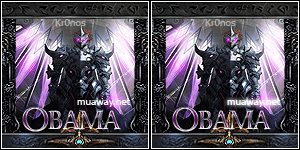
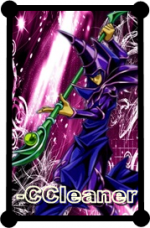
Estou Aqui Abrindo Um Pedidos E Entregas De Tipografias 3D.
Autorização Do Matheus_RX
Spoiler

Elas Sairão Do Seguinte Modo.
Imagem
Mas Os Bixos Azul Que Eu Nem Sei o Nome São Opcionais.
Modo De Postagem.

Quote

Nick:
Reputou Sim [ ] Não [ ]
Com Os Bixos Azul Que Eu Nem Sei o Nome? Sim[ ] Não [ ]


Quote

Somente Valerá Uma Postagem Por Nick.
Praso De Entrega: 12 Horas.
A Cor Somente Poderá Ser Azul.

Primeira Remessa
Segunda Remessa

[center] Terceira Remessa Horário De Entrega: Entre 14:30 até 17:00
  • Respostas 26
  • Visualizações 2,6k
  • Criado
  • Última resposta

Mais Ativos no Tópico

Posts Recomendados

No posts to show - Show all replies
Visitante
Este tópico está impedido de receber novos posts.

Account

Navigation

Pesquisar

Pesquisar

Configure browser push notifications

Chrome (Android)
  1. Tap the lock icon next to the address bar.
  2. Tap Permissions → Notifications.
  3. Adjust your preference.
Chrome (Desktop)
  1. Click the padlock icon in the address bar.
  2. Select Site settings.
  3. Find Notifications and adjust your preference.