Ir para conteúdo
View in the app

A better way to browse. Learn more.

MuAwaY Forum

A full-screen app on your home screen with push notifications, badges and more.

To install this app on iOS and iPadOS
  1. Tap the Share icon in Safari
  2. Scroll the menu and tap Add to Home Screen.
  3. Tap Add in the top-right corner.
To install this app on Android
  1. Tap the 3-dot menu (⋮) in the top-right corner of the browser.
  2. Tap Add to Home screen or Install app.
  3. Confirm by tapping Install.

[Galeria de Exposição] - LORDX

Postado
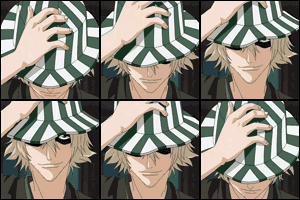
OLá galera fiz uma nova sing e avatar e gostaria q vcs comentassem,dessem algumas dicas e até dessem uma nota.Só não esculaxem por favor,é q eu não sou profissional e nem to com os programas mais adequados parar fazer isso.
Obs:É a sing e o avatar q estou usando atualmente.
Imagem

Spoiler

Team logo
Spoiler

Team
Spoiler
  • Respostas 6
  • Visualizações 560
  • Criado
  • Última resposta

Mais Ativos no Tópico

Posts Recomendados

Postado
é aqui mesmo, um nota 8. a sing está boa mas o avatar achava melhor se você tirasse akela render ali na frente.
Imagem
Imagem

Spoiler


Clique aqui Para ver meu Tópico de venda :D.
Postado
  • Autor
valeu felipemizel,sua dica vai melhorar oq eu vier a fazer
Imagem

Spoiler

Team logo
Spoiler

Team
Spoiler
Postado
Não estou vendo nenhuma sign ai. :thumbsdown:
  • 1 ano depois...
Visitante
Este tópico está impedido de receber novos posts.

Account

Navigation

Pesquisar

Pesquisar

Configure browser push notifications

Chrome (Android)
  1. Tap the lock icon next to the address bar.
  2. Tap Permissions → Notifications.
  3. Adjust your preference.
Chrome (Desktop)
  1. Click the padlock icon in the address bar.
  2. Select Site settings.
  3. Find Notifications and adjust your preference.