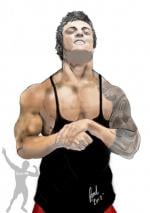
Postado Fevereiro 22, 2012 14 anos Traduzir comment_2157488 Como fas esse efeito nessa foto q a frase muaway.net fika tipo piskano: Denunciar
Postado Fevereiro 22, 2012 14 anos Traduzir comment_2157490 Acho que esse tutorial pode te ajudar: [Tutorial] Efeito brilho em foto pessoal: http://forum.muaway.net/index.php?/topic/202797-tutorial-de-ds-efeito-brilho-correndo-na-tipografia/ Recursos Para Photoshop Spoiler Brushes Styles Renders Recursos Para Portal Patterns Fontes Stock Tutorias Spoiler [Tutorial] Tipografia 3D no Cinema4D & Photoshop Denunciar
Postado Fevereiro 22, 2012 14 anos Traduzir comment_2157491 Do mesmo geito que neste tutorial , com Cliping mask , uma style na cor e diminui a opacidade :]] Denunciar
Postado Fevereiro 22, 2012 14 anos Traduzir comment_2157494 - Siga o link do tutorial abaixo. http://forum.muaway.net/index.php?/topic/186928-tutorial-tipografia-animacao/ Denunciar
Postado Fevereiro 22, 2012 14 anos Traduzir comment_2157495 Amigo veja esse Tutorial. http://forum.muaway.net/index.php?/topic/202797-tutorial-de-ds-efeito-brilho-correndo-na-tipografia/ Denunciar
Postado Fevereiro 22, 2012 14 anos Traduzir comment_2157502 Creio que ira lhe ajudar [Tutorial] Efeito brilho em foto pessoal: http://forum.muaway....-na-tipografia/ Denunciar
Postado Fevereiro 22, 2012 14 anos Traduzir comment_2157802 Dúvida respondidaCaso precise reabrir o tópico, me envie uma MP solicitando. BERTAO REI DAS BOX Denunciar