Ir para conteúdo
View in the app

A better way to browse. Learn more.

MuAwaY Forum

A full-screen app on your home screen with push notifications, badges and more.

To install this app on iOS and iPadOS
  1. Tap the Share icon in Safari
  2. Scroll the menu and tap Add to Home Screen.
  3. Tap Add in the top-right corner.
To install this app on Android
  1. Tap the 3-dot menu (⋮) in the top-right corner of the browser.
  2. Tap Add to Home screen or Install app.
  3. Confirm by tapping Install.

Evento Relampago para STAFF

Postado
Eu estava Indesciso pra qm fazer o PRESENTE Da STAFF New Entao vo faze esse evento

Nick :
Frase : Muaway Sempre nos Divertindo.

Obs : Somente Pessoal da STAFF


Imagem
ImagemImagem
  • Respostas 7
  • Visualizações 480
  • Criado
  • Última resposta

Mais Ativos no Tópico

Dias Populares

Posts Recomendados

Postado
Desculpe mas ja ia Postando :D

Nen vi que era so pra Staff :/ Malz
Imagem

Clique AQUI Para Visitar meu Perfil . Obrigado !
Postado
Nick : Weep_GM
Frase : Muaway Sempre nos Divertindo.
Apenas um mito!
Weep_GM - 2010
Postado
Weep_gm Pra comemora Tem Que fazer Um Pra gente assim, valendo pacote.
Imagem
Postado
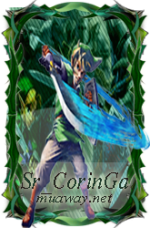
Nick: Coringa_GM
Frese: muaway.net

22 de abril de 2010
04 de junho de 2010
11 de junho de 2010
23 de Outubro de 2010
Postado
  • Autor
Weep Wins Aproveita e Fecha eu te envio via Skype :P


Imagem
ImagemImagem
Postado
Parabéns para mim ^^
Tópico Fechado!
Apenas um mito!
Weep_GM - 2010
Visitante
Este tópico está impedido de receber novos posts.

Account

Navigation

Pesquisar

Pesquisar

Configure browser push notifications

Chrome (Android)
  1. Tap the lock icon next to the address bar.
  2. Tap Permissions → Notifications.
  3. Adjust your preference.
Chrome (Desktop)
  1. Click the padlock icon in the address bar.
  2. Select Site settings.
  3. Find Notifications and adjust your preference.