Ir para conteúdo
View in the app

A better way to browse. Learn more.

MuAwaY Forum

A full-screen app on your home screen with push notifications, badges and more.

To install this app on iOS and iPadOS
  1. Tap the Share icon in Safari
  2. Scroll the menu and tap Add to Home Screen.
  3. Tap Add in the top-right corner.
To install this app on Android
  1. Tap the 3-dot menu (⋮) in the top-right corner of the browser.
  2. Tap Add to Home screen or Install app.
  3. Confirm by tapping Install.

(Respondido)[Dúvida]Photoshop.

Postado
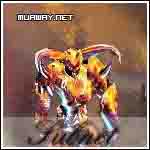
como faaz esse efeito passando na fonte ?
e qual fonte é essa que foi usada nessa foto pessoal ?
Imagem
  • Respostas 8
  • Visualizações 602
  • Criado
  • Última resposta

Mais Ativos no Tópico

Posts Recomendados

Postado
Siga meu tutorial:

Criando uma Tipografia animada:
http://forum.muaway.net/index.php?/topic/186886-tutorial-criando-uma-tipografia-animada/


Creio que esta tipografia seja a Copperlate Ghotic, se não me engano, ela já vem no seu computador.


Postado
Este efeito geralmente é chamado de Efeito Feixo de Luz.

Tutorial:

Atenciosamente, Adonai Fabricio.

Postado
Siga o tutorial do Pe_Lanza

Criando uma Tipografia animada:
http://forum.muaway....grafia-animada/
Imagem
Postado
Tipografia com animação, feito por mim
http://forum.muaway.net/index.php?/topic/186928-tutorial-tipografia-animacao/
Postado
lek é muit facil
vc vai nos gradientes do PhotoShop.
Imagem
Imagem
Imagem
Postado
Olha Oq O -Pe_Lanza- Fez
Espero ajudar
http://forum.muaway.net/index.php?/topic/186886-tutorial-criando-uma-tipografia-animada/
New Kit Noiado_TM '-'
Imagem


ComediaMTV '-'
ImagemImagem


Spoiler


Atenciosamente

-PedroRima
Postado
Dúvida respondida

Caso precise reabrir o tópico, me envie uma MP solicitando.
Imagem

Equipe MuAwaY - Projetando e construindo a sua diversão!
Visitante
Este tópico está impedido de receber novos posts.

Account

Navigation

Pesquisar

Pesquisar

Configure browser push notifications

Chrome (Android)
  1. Tap the lock icon next to the address bar.
  2. Tap Permissions → Notifications.
  3. Adjust your preference.
Chrome (Desktop)
  1. Click the padlock icon in the address bar.
  2. Select Site settings.
  3. Find Notifications and adjust your preference.