Ir para conteúdo
View in the app

A better way to browse. Learn more.

MuAwaY Forum

A full-screen app on your home screen with push notifications, badges and more.

To install this app on iOS and iPadOS
  1. Tap the Share icon in Safari
  2. Scroll the menu and tap Add to Home Screen.
  3. Tap Add in the top-right corner.
To install this app on Android
  1. Tap the 3-dot menu (⋮) in the top-right corner of the browser.
  2. Tap Add to Home screen or Install app.
  3. Confirm by tapping Install.

Elogio ao SHOCK-ZF

Postado
Venho aqui elogiar o SHOCK-ZF.
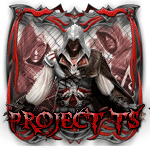
Não conheço ele mas venho aqui elogia-lo pelo belos trabalhos com o P.S,pois nunca vi um "Designer","Aprendiz",fazer uma sign com o tema de mu online tão bem quanto a ele,cara Parabéns aew que você continue assim e cada vez melhorando,Parabéns mesmo!
Imagem
  • Respostas 9
  • Visualizações 966
  • Criado
  • Última resposta

Mais Ativos no Tópico

Dias Populares

Postagens Populares

Posts Recomendados

Postado
-


Olá amigos ,Realmente o Elogiado Vem fazendo um ótimo trabalho na área de Design espero que ele continue assim pois quem sabe será o Próximo AP ou até mesmo DO. Fé amigo você é bom nisso.


Imagem
Imagem


Equipe MuAwaY - Projetando e construindo a sua diversão.
Postado
Parabens ao Membro Elogiado , Que ele continue Fazendo o Trabalho que faz.
Kit By : Erotico

Imagem
Imagem

VisiT My GallerY Clique aqui

Postado
Parabens ele vem Fazendo Uns Otimos Kit parabens SHOCK-ZF ;)
Imagema
Imagem
Postado
  • Autor
LoL você também merece ser elogiado pois vem fazendo um ótimo trabalho na parte de Designer(em breve espero ganhar uma sign de v6 2 :) )

Editado por xHardy

Imagem
Postado
Elogio mencionado
Tópico fechado.


Atenciosamente,
Sr_Galinha!MuAwaY Projetando e construindo sua diversão!
Equipe MuAwaY-Projetando e construindo sua diversão!-Galinha_MD
Imagem
Imagem
Visitante
Este tópico está impedido de receber novos posts.

Account

Navigation

Pesquisar

Pesquisar

Configure browser push notifications

Chrome (Android)
  1. Tap the lock icon next to the address bar.
  2. Tap Permissions → Notifications.
  3. Adjust your preference.
Chrome (Desktop)
  1. Click the padlock icon in the address bar.
  2. Select Site settings.
  3. Find Notifications and adjust your preference.