



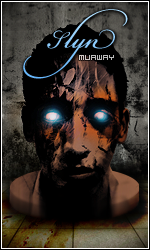
_Slyn
Jogador
-
Registro em
-
Última visita
-
Recomendo o tema SubZero - Mortal Kombat. Um tema muito inspirador e fácil de trabalhar. Render:
-
Como solicitado, segue abaixo todo o kit: Kit 1 - Batman: Spoiler http://i.imgur.com/FNXctkM.gif http://i.imgur.com/CDEsju9.png http://i.imgur.com/bfeCNln.png http://i.imgur.com/qbwcSR3.gif Kit 2 - GodOfWar Spoiler http://i.imgur.com/cvkp6MF.png http://i.imgur.com/ptJuW6m.gif Kit 3 - Oenomaus Spoiler http://i.imgur.com/u1WkTjc.gif http://i.imgur.com/AuyDja3.png http://i.imgur.com/9Lol60h.png http://i.imgur.com/jVQ1MVa.png
-
Estarei expondo todos meus trabalhos aqui nesse tópico. Spoiler Assinaturas: (antigas) Tema: System Of a Down
-
Conforme solicitado:
-
Segue abaixo: http://www.webdesigngrafico.com.br/2008/07/1300-styles-photoshop.htmlVeja o vídeo abaixo e aprenda a instalar corretamente acessórios no seu Adobe Photoshop. Se o problema persistir sugiro que baixe outro photoshop.Bom dia, segue abaixo conforme solicitado: 1 - Crie um documento com um tamanho superior ao da imagem com a linha dupla. No caso, eu criei 300 x 20 px 2 - Abra a imagem com a linha, copie (CTRL + C) e cole (CTRL + V) no novo documento. Aperte CTRL + T para abrir a caixa do Free Transform e aumente a imagem na horizontal. 3 - Aumente a imagem até ficar com o mesmo tamanho do novo documento criado. 4 - Após ter feito os passos acima, basta salvar sua imagem em File > Save As..., coloque um nome no arquivo e o formato PNG. Resultado final: http://i.imgur.com/Cv5EQqJ.pnghttp://i.imgur.com/p0YCp38.png http://i.imgur.com/UxZqBNx.pngSegue abaixo:Segue abaixo: http://i.imgur.com/CxoUbu5.gif http://i.imgur.com/Qw7S6dW.pngSegue abaixo a imagem conforme solicitado: http://i.imgur.com/A13P5F6.gif http://i.imgur.com/agTVSKn.png
