Ir para conteúdo
View in the app

A better way to browse. Learn more.

MuAwaY Forum

A full-screen app on your home screen with push notifications, badges and more.

To install this app on iOS and iPadOS
  1. Tap the Share icon in Safari
  2. Scroll the menu and tap Add to Home Screen.
  3. Tap Add in the top-right corner.
To install this app on Android
  1. Tap the 3-dot menu (⋮) in the top-right corner of the browser.
  2. Tap Add to Home screen or Install app.
  3. Confirm by tapping Install.

wsh_

Jogador
  • Registro em

  • Última visita

  1. uma resposta no tópico respondeu wsh_ em Compra
    Eu vendo por kitsw o all, qualquer coisa manda mp.
  2. eu vendo o dino ta onde
  3. wsh_ começou a seguir iVenon
  4. iVenon começou a seguir wsh_
  5. wsh_ começou a seguir M4nGekYoU-
  6. M4nGekYoU- começou a seguir wsh_
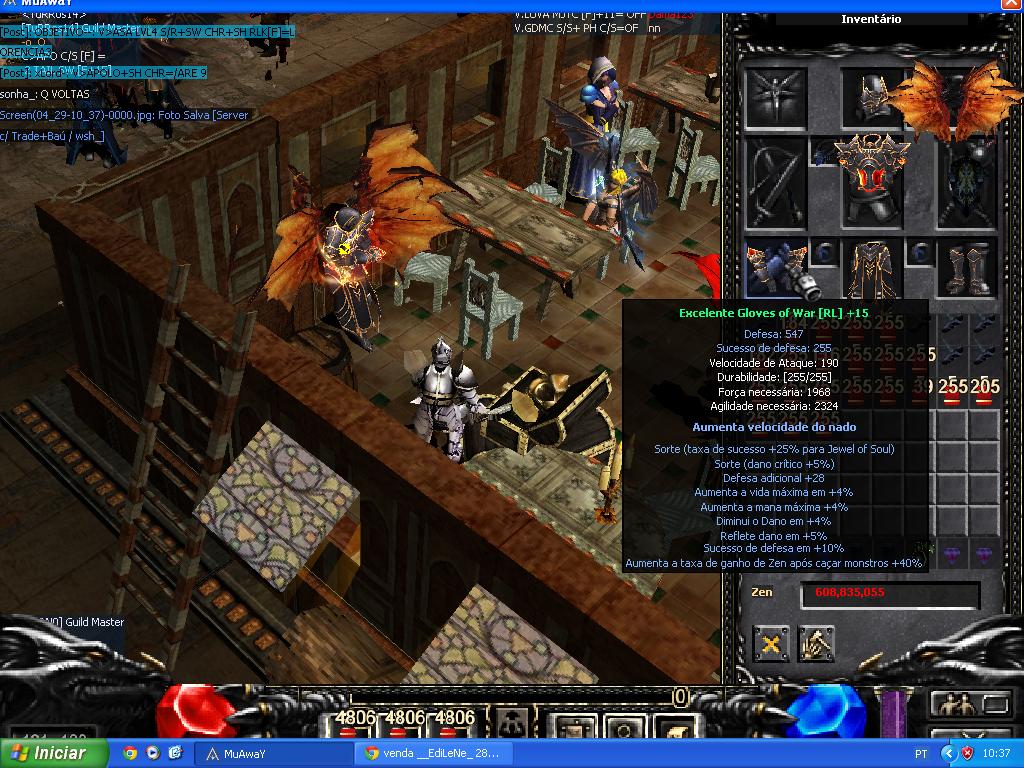
  7. C>SET OF WAR = 2 WAR+RLK ou QUERO 2 RLK DE VOLTA EM WAR+DINO INTERESSADOS MANDA MP
  8. wsh_ respondeu ao tópico de iVenon em Venda
    do 1 pipoca caramelada, voltas oq??????
  9. C>SET OF WAR = 2 SW OF WAR INTERESSADOS MANDA MP
  10. V>NEW PET = 6 RLKS QM QUISER MANDA MSG
  11. iNene-TM começou a seguir wsh_
  12. wsh_ começou a seguir iNene-TM
  13. wsh_ respondeu ao tópico de wsh_ em Venda
    up
  14. V>SET OF WAR = 2 WAR+2 RLKS ou mande suas ofertas MP, sem sonhar claro.
  15. V>SET OF WAR = 2 WAR+4RLKS INTERESSADOS MP.
  16. V>SET OF WAR = 2 WAR+6 RLKS ou DINO+WAR+4 RLKS.
  17. wsh_ respondeu ao tópico de wsh_ em Venda
    up
  18. V>SET OF WAR = 4 WAR++ INTERESSADOS MANDA MP, PRA QUEM N QUER FICA SEM.
  19. wsh_ respondeu ao tópico de wsh_ em Venda
    NICK-JR, em 29 April 2014 - 10:42 AM, disse: Do OF WAR + DINO n vlw
  20. V>SET OF WAR COMPLETO, Interessados mandem mp Obs: N realizo sonhos.
  21. wsh_ começou a seguir -TheHellBk-
  22. -TheHellBk- começou a seguir wsh_
  23. C> PARTES DO SET OF WAR = 4 RLK CADA OU MOFA AI

Account

Navigation

Pesquisar

Pesquisar

Configure browser push notifications

Chrome (Android)
  1. Tap the lock icon next to the address bar.
  2. Tap Permissions → Notifications.
  3. Adjust your preference.
Chrome (Desktop)
  1. Click the padlock icon in the address bar.
  2. Select Site settings.
  3. Find Notifications and adjust your preference.