



Rocse_
Jogador
-
Registro em
-
Última visita
-
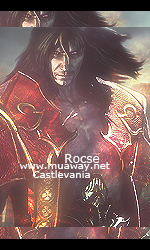
Boa tarde galera, meu parceiro pediu uma e resolvi fazer pra dar uma desenferrujada, espero que goste nub. FOTO PESSOAL:
-
ai parceirinho, fiz essa sign pra desenferrujar um pouco e decidi te presentear <3
-
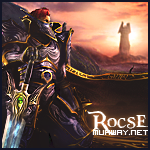
ai nub, não sei se vai gostar mas é oque deu pra fazer no momento kkk!
-
EVENTO FINALIZADO = MEMBRO JA FEZ O PAGAMENTO! Segue o KIT!
-
Autorizaçao Quote →Regras →Sem Retirar a Oferta →Só oferte se quiser mesmo o KIT →Kit irá conter Fp + Sign + Avatar →Cronograma →Inicio:07/05 →Termino:08/05 ou Antes caso alguma oferta me agrade →SING →Lance minimo 01 RLK
-
Vovo-Rox
-
Vovo-Rox
-
ae manin seu kit <3
-
legal vc feraupp~~Fan nº1ae nando seu nubao <3 LIXOOO !!

Account
Navigation
Pesquisar
Configure browser push notifications
Chrome (Android)
- Tap the lock icon next to the address bar.
- Tap Permissions → Notifications.
- Adjust your preference.
Chrome (Desktop)
- Click the padlock icon in the address bar.
- Select Site settings.
- Find Notifications and adjust your preference.
Safari (iOS 16.4+)
- Ensure the site is installed via Add to Home Screen.
- Open Settings App → Notifications.
- Find your app name and adjust your preference.
Safari (macOS)
- Go to Safari → Preferences.
- Click the Websites tab.
- Select Notifications in the sidebar.
- Find this website and adjust your preference.
Edge (Android)
- Tap the lock icon next to the address bar.
- Tap Permissions.
- Find Notifications and adjust your preference.
Edge (Desktop)
- Click the padlock icon in the address bar.
- Click Permissions for this site.
- Find Notifications and adjust your preference.
Firefox (Android)
- Go to Settings → Site permissions.
- Tap Notifications.
- Find this site in the list and adjust your preference.
Firefox (Desktop)
- Open Firefox Settings.
- Search for Notifications.
- Find this site in the list and adjust your preference.