


Ir para conteúdo
View in the app

A better way to browse. Learn more.

MuAwaY Forum

A full-screen app on your home screen with push notifications, badges and more.

To install this app on iOS and iPadOS
  1. Tap the Share icon in Safari
  2. Scroll the menu and tap Add to Home Screen.
  3. Tap Add in the top-right corner.
To install this app on Android
  1. Tap the 3-dot menu (⋮) in the top-right corner of the browser.
  2. Tap Add to Home screen or Install app.
  3. Confirm by tapping Install.

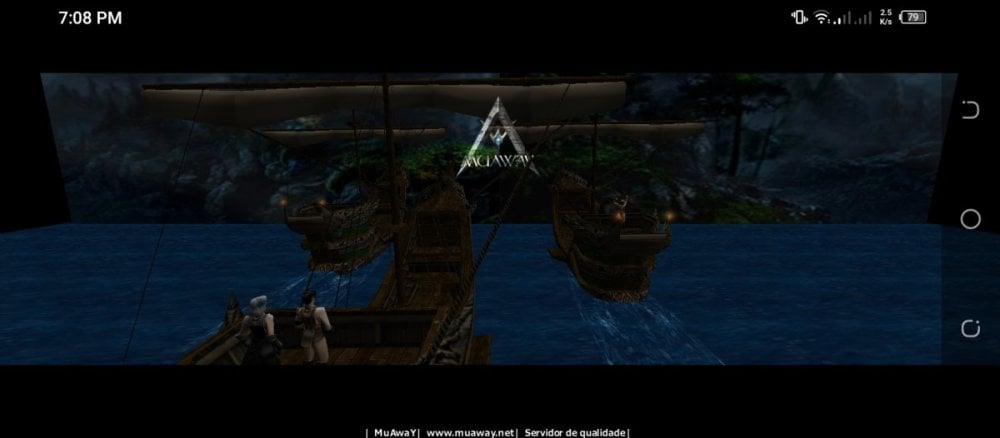
(Aguardando resposta do jogador)Trying to connect to the game.

  • Respostas 2
  • Visualizações 122
  • Criado
  • Última resposta

Mais Ativos no Tópico

Dias Populares

Postagens Populares

  • Hello, You can update your game to resolve the issue. If you are on iOS, you can also try changing the orientation setting on the game's initial screen. An update to fix this will be released soon; h

  • Aguardando resposta.   Aguardando a resposta do autor do tópico.   Sem floods dos demais membros.
Posted Images

Posts Recomendados

Postado

Hello,

You can update your game to resolve the issue. If you are on iOS, you can also try changing the orientation setting on the game's initial screen. An update to fix this will be released soon; here is the link for the update: https://mobile.muaway.net/

Atenciosamente, Matrix
MuAwAY - Projetando e construindo a sua diversão!

pvqv3h.png

Postado

Aguardando resposta.


Aguardando a resposta do autor do tópico.


Sem floods dos demais membros.

Atenciosamente, Matrix
MuAwAY - Projetando e construindo a sua diversão!

pvqv3h.png

  • Matrix changed the title to (Aguardando resposta do jogador)Trying to connect to the game.

Participe da conversa

Você pode postar agora e se cadastrar mais tarde. Se você tem uma conta, faça o login para postar com sua conta.

Visitante
Responder

Account

Navigation

Pesquisar

Pesquisar

Configure browser push notifications

Chrome (Android)
  1. Tap the lock icon next to the address bar.
  2. Tap Permissions → Notifications.
  3. Adjust your preference.
Chrome (Desktop)
  1. Click the padlock icon in the address bar.
  2. Select Site settings.
  3. Find Notifications and adjust your preference.