



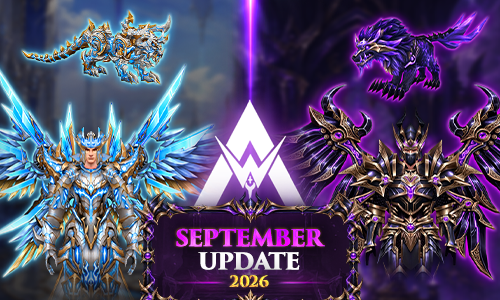
Centro de Actualizaciones - Septiembre de 2026

ACTUALIZACIÓN SEPTIEMBRE - MUAWAY 2026
Centro de Noticias de MuAwaY
¡Bienvenido al Update Hub de MuAwaY!
El mes de septiembre ha llegado con todo, trayendo artículos exclusivos, eventos electrizantes, mejoras en el sistema y una promoción especial. Explora los accesos directos a continuación para conocer todos los detalles y prepárate para esta nueva aventura!
Promoción Especial
Promoción Especial de Septiembre
Descubre todos los paquetes promocionales y sorteos disponibles en esta gran Promoción Especial de Septiembre en MuAwaY, ¡una oportunidad para potenciar aún más tu cuenta!
Ver ventajasNuevos Artículos Disponibles
Immortal KIT
El verdadero impacto de un guerrero se siente incluso antes del primer golpe.
Leer la noticiaWraith KIT
Hay una belleza letal en la oscuridad, y el nuevo Wraith KIT es prueba absoluta de ello.
Leer la noticiaNuevos Eventos Disponibles
Temporada Mata-Matas
Una edición especial, con 03 Mata-Matas de Reliquias, haciendo las clasificatorias aún más competitivas.
Leer la noticiaMythical Ranking
La legendaria Mythical - Box está de vuelta en MuAwaY, ¡y esta vez no vino sola! Te presentamos a tu nuevo aliado en la búsqueda de la cima: la Mythical - Box [Premium].
Leer la noticiaLucky Event
La suerte está echada, y el destino de tu personaje puede cambiar con un solo clic.
Leer la noticiaActualización del Sistema
Stats Bonus System: Assistant Pets
Una nueva joya llega para aumentar aún más el poder de tu assistant pet. Consulta la guía actualizada, conoce el Scroll Stats: Evolved y comprende cómo funciona.
Acceder a la guía completa
Comentários Recomendados