



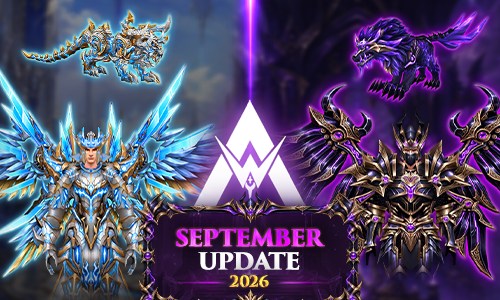
Update Center - September 2026

UPDATE SEPTEMBER - MUAWAY 2026
MuAwaY News Hub
Welcome to the Update Hub of MuAwaY!
The month of September has arrived in full force, bringing exclusive items, electrifying events, system improvements, and a special promotion. Browse the shortcuts below to check out all the details and get ready for this new adventure!
Special Promotion
September Special Promotion
Check out all the promotional packages and giveaways available in this grand September Special Promotion at MuAwaY, an opportunity to supercharge your account even further!
See the perksNew Items Available
Immortal KIT
The true impact of a warrior is felt even before the first strike.
Read the newsWraith KIT
There is a lethal beauty in the darkness, and the new Wraith KIT is absolute proof of that.
Read the newsNew Events Available
Mata-Matas Season
A special edition, featuring 03 Relic Mata-Matas, making the qualifiers even more competitive.
Read the newsMythical Ranking
The legendary Mythical - Box is back at MuAwaY, and this time it didn't come alone! We present your new ally in the search for the top: the Mythical - Box [Premium].
Read the newsLucky Event
Luck has been cast, and your character's fate can change with just a single click.
Read the newsSystem Update
Stats Bonus System: Assistant Pets
A new jewel arrives to further increase your assistant pet's power. Check out the updated guide, learn about the Scroll Stats: Evolved, and understand how it works.
Access the full guide
Comentários Recomendados